
Glamping guest activities.
Make more of the stay.
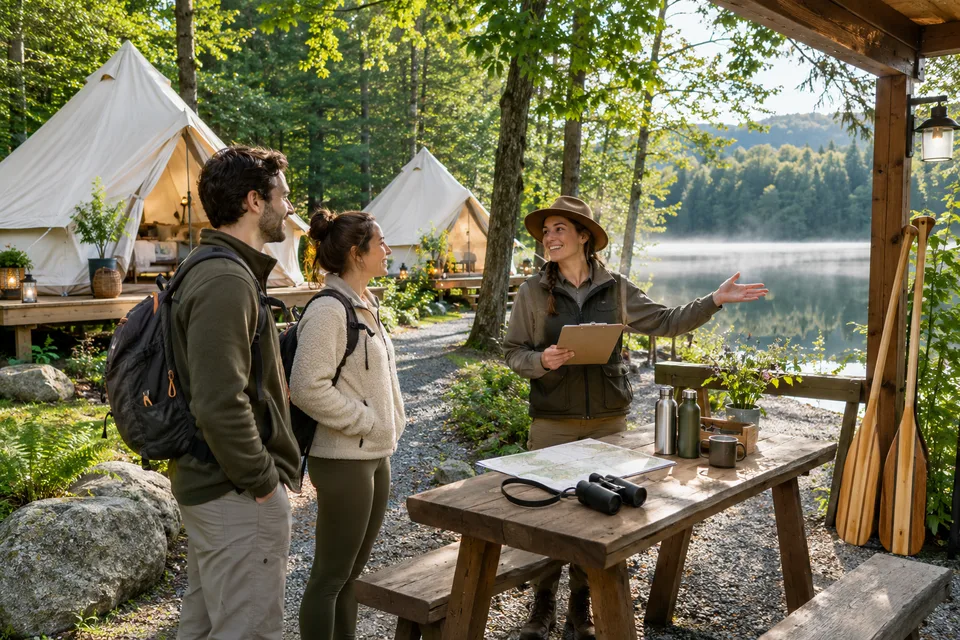
Use Booking Spot for the appointments around a glamping stay: a private guided walk, a treatment, a craft lesson or another timed guest activity. Keep your existing accommodation system for the tent or cabin reservation and give each experience its own booking link.
Start free: one active service, unlimited bookings and team members.
Why Booking Spot
fits your day.
Timed experiences for your guests, alongside your accommodation system.
- Make activities easy to find
- Share a hosted business page with your activity services, or a direct link to a specific experience in guest information. Each service explains the duration, price and meeting details.
- Coordinate hosts and shared spaces
- Assign the professional who delivers the activity and require any shared space or equipment. Existing appointments and configured buffers shape what can be booked.
- Ask for the details your host needs
- Use booking questions for practical guest information and communicate the meeting point. Keep accommodation reservations and guest-stay records in your property workflow.
One booking.
Thought through.
Offer a 90-minute private nature walk with your host and a 15-minute preparation buffer. Put the booking link in your arrival information so guests can reserve an experience around their own plans.
Try the interactive booking demoExample setup · illustrative details
- Guest experience
- 90-minute private nature walk
- Professional
- Activity host
- Accommodation
- Managed in your existing system
Your experience.
A clearer booking flow.
Set the service, assign professionals, check required resources and let customers choose a time. Preview your saved design before sharing the booking page.
Explore the booking features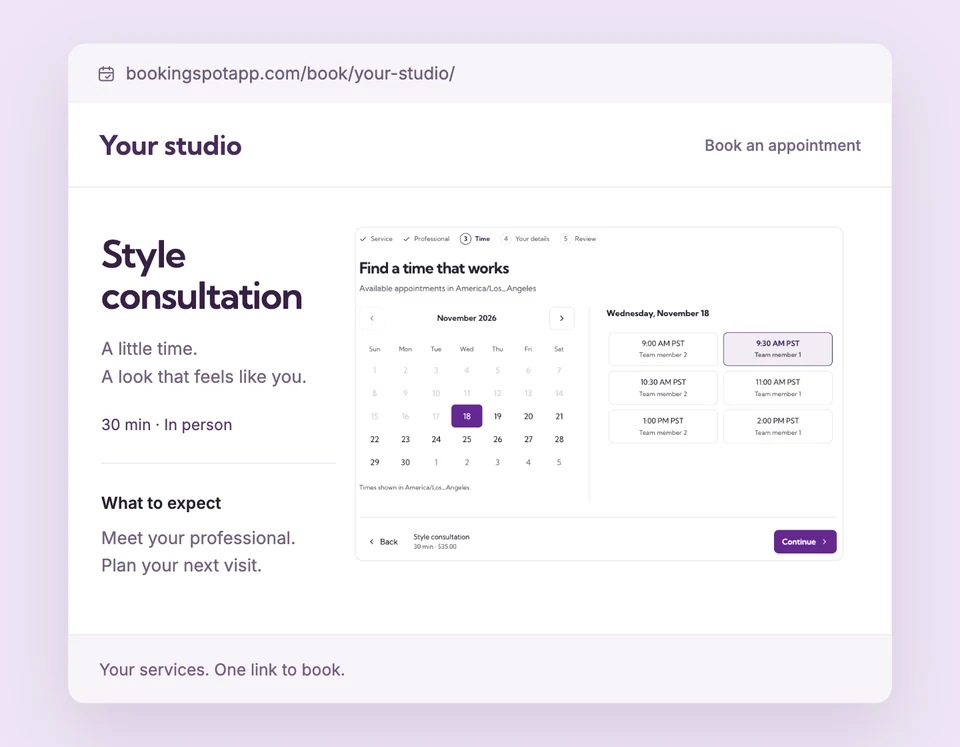
From account
to first booking.
Start with the service your customers ask for most. Your first test booking helps you check the details before going live.
- Choose the guest activity you want to offer first.
- Add its host, duration, required resources and meeting details.
- Test the booking link and share it in your guest information.
Choose where customers book.
- Your own websiteShare a hosted page or embed your calendar.
- WixAdd a calendar that fits your Wix site.
- ShopifyTurn your product pages into bookable services.
Compare Free, Starter and Pro for reminders, Google Calendar and waitlist features. Availability and payment options depend on your platform and saved settings.
Before you get started.
Can Booking Spot reserve tents, cabins or overnight stays?
No. Services are appointments from 5 to 720 minutes. Use accommodation software for overnight inventory, check-in dates, nightly pricing and channel management.
Can it automatically sync with my property system?
This page does not promise a property-management integration. Share your activity booking link alongside the accommodation process you already use.
Can I use Booking Spot on my website, Wix or Shopify?
Yes. Standalone businesses can share a hosted booking page or embed the calendar. Wix businesses add the Booking Spot calendar to a page. Shopify businesses connect services to products and add the Booking selector. Follow the setup guide for your platform.
What is included when I start free?
Free includes one active service, unlimited bookings and team members, hosted pages, widget customization, booking questions and waivers, and standard confirmation and update emails. Starter adds reminders and Google Calendar checks. Pro adds waitlists. Payment processing fees are separate.
Your next booking starts here.
Create your account, add your first service and publish a booking page. Start free with one active service, unlimited bookings and your whole team.