
Photography session booking.
Focus on the people in frame.
Turn a photography session into a clear appointment clients can book from your website. Booking Spot helps you coordinate the photographer, a shared studio and preparation time while gathering the details that make the session easier to plan.
Start free: one active service, unlimited bookings and team members.
Why Booking Spot
fits your day.
Portrait appointments, headshots and studio consultations.
- Protect the photographer’s time
- Set the full session duration, add setup or turnaround buffers and account for breaks. A booked session prevents an overlapping appointment for that professional.
- Coordinate a shared studio
- Require the studio or equipment resources used by the session. Multiple photographers can have separate schedules while the shared resource still prevents conflicting use.
- Gather the session brief
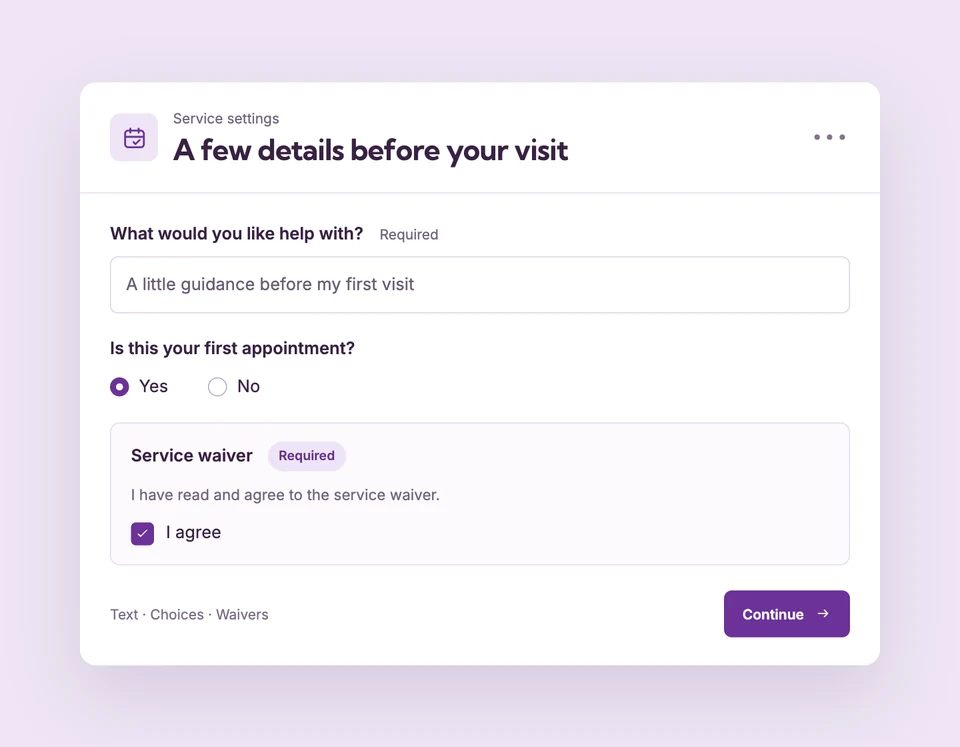
- Ask about the purpose, preferred style or practical requirements through the booking form. Use approval when you want to review requests before confirming the session.
One booking.
Thought through.
Create a 60-minute headshot session with a 30-minute setup buffer and Studio A as a required resource. Ask how the images will be used. If approval is enabled for a paid online service, payment happens before the request is reviewed.
Try the interactive booking demoExample setup · illustrative details
- Session
- 60-minute headshots
- Before appointment
- 30-minute setup
- Shared resource
- Studio A
From account
to first booking.
Start with the service your customers ask for most. Your first test booking helps you check the details before going live.
- Add your photographers and available working periods.
- Create the session and require any shared studio resources.
- Add the brief questions and test the booking and approval settings.
Choose where customers book.
- Your own websiteShare a hosted page or embed your calendar.
- WixAdd a calendar that fits your Wix site.
- ShopifyTurn your product pages into bookable services.
Compare Free, Starter and Pro for reminders, Google Calendar and waitlist features. Availability and payment options depend on your platform and saved settings.
Before you get started.
Can I approve a photography request?
Yes. Enable approval for the service. Pending requests occupy the time, and paid online appointments are paid before approval. Review your payment and cancellation policies before publishing.
Does it deliver galleries or photography contracts?
Booking Spot schedules the session and can collect booking questions or acknowledgements. Keep image delivery, editing and contract management in your photography workflow.
Can I use Booking Spot on my website, Wix or Shopify?
Yes. Standalone businesses can share a hosted booking page or embed the calendar. Wix businesses add the Booking Spot calendar to a page. Shopify businesses connect services to products and add the Booking selector. Follow the setup guide for your platform.
What is included when I start free?
Free includes one active service, unlimited bookings and team members, hosted pages, widget customization, booking questions and waivers, and standard confirmation and update emails. Starter adds reminders and Google Calendar checks. Pro adds waitlists. Payment processing fees are separate.
Your next booking starts here.
Create your account, add your first service and publish a booking page. Start free with one active service, unlimited bookings and your whole team.