
Appointment email templates.
In your own words.
Make confirmations, reminders and opening invitations sound like your business. Choose an email type, edit its supported text and preview the customer message before saving.
Pro unlocks custom email templates and translations. Free workspaces can explore read-only previews. Compare plans
The booking email.
Set up Email templates for your business.
Choose the email type
Open Workflows → Email templates and select the confirmation, update, reminder, follow-up or waitlist email you want to review.
Write clear message text
Edit the subject, message and available labels. Insert only the supported booking variables listed for that field.
Preview the language
Choose default copy or a language override, review sample booking details and save. Previewing does not send an email.
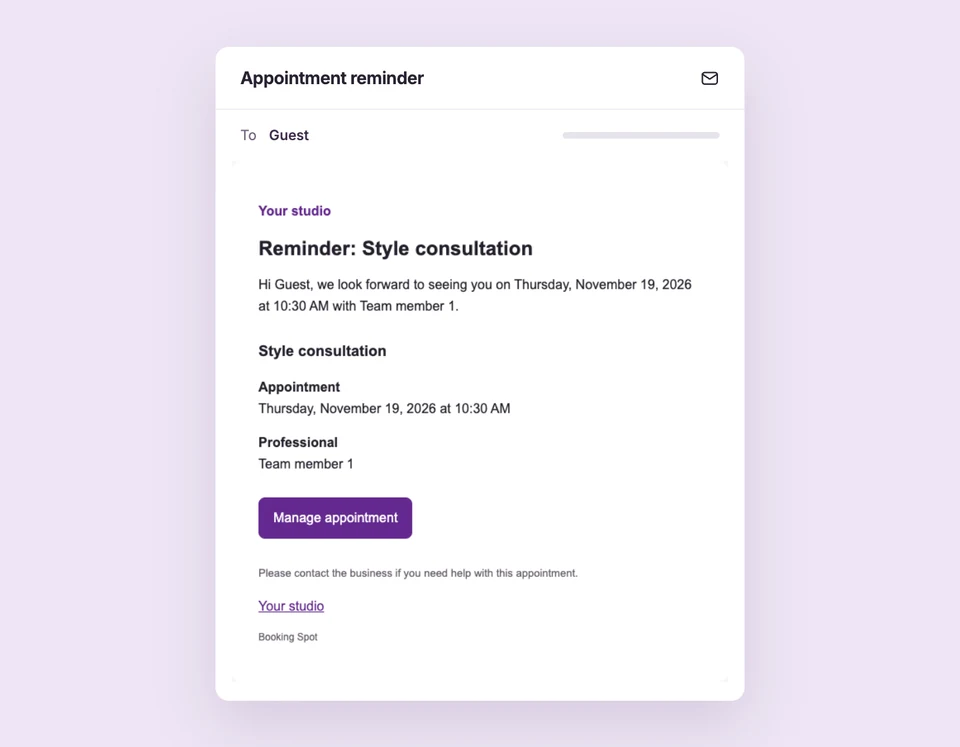
A reminder that sounds like you.
With the booking details filled in.
Use a supported service-name variable in your message and give customers a clear next step. Shared footer or signature fields can stay consistent across messages without copying them into each email.
The details
that matter.
Know what the feature does, how it is configured and where its limits are.
- Separate text from delivery
- A saved message still follows the workspace and per-email sending switches. Editing text does not override a disabled workflow.
- Use supported variables
- Keep each field’s listed braces and variable names intact. Variables are not arbitrary code or EJS template editing.
- Translate deliberately
- English and Spanish stock email copy is available. Add your own language-specific wording for other audiences.
Before you get started.
Answers about Email templates, with guides for the next step.
Can I preview email templates on Free?
Yes. You can select email types and explore read-only previews. Pro, including an active Pro trial, unlocks editing and save actions.
Does previewing send a message?
No. Live preview uses sample data. Actual email delivery follows real booking events and your enabled workflow settings.
Are widget and email translations the same setting?
No. The widget’s text editor and email workflows have separate wording and language settings.
Take a closer look.
Try the sample calendar, then follow the guide when you are ready to set up your business.
Explore the related guide