
Hosted booking pages.
A link of its own.
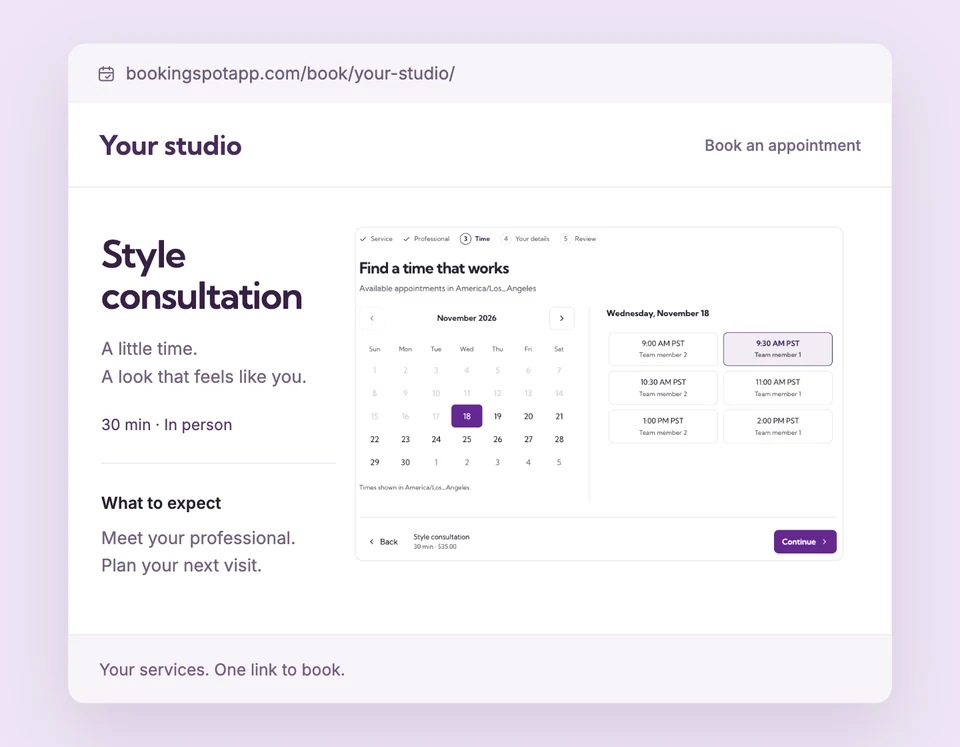
Give customers one place to discover your services, or send them straight to the appointment they want. A hosted page pairs your business details with the same Booking Spot calendar.
Hosted pages are included in Free for your one active service. Use them with or without a connected Shopify store. Compare plans
Every service.
Set up Hosted booking pages for your business.
Describe your business
Add the name, image, public contact details and appointment location that help customers prepare for their visit.
Give a service its own page
Choose a clear URL and write an accurate description of what the customer is booking. A direct service link selects that service in the calendar.
Preview, then publish
Open the desktop and mobile previews from Settings, including unsaved edits. Choose the visibility you want before publishing.
From your profile or an email.
Straight to the right service.
Share your business page to let customers browse. Link directly to a consultation when that is the appointment you are promoting. Customers can read what to expect and choose a time without searching through your website.
The details
that matter.
Know what the feature does, how it is configured and where its limits are.
- Content for customers and search
- Add specific service descriptions, location and visit details. Choose whether published pages may appear in search results.
- A preview before publication
- Settings previews use sample availability. They do not reserve a time, send an email or publish unsaved edits.
- Your existing booking rules
- Service assignments, working hours, forms and plan access still control what a customer can book.
Before you get started.
Answers about Hosted booking pages, with guides for the next step.
Do I need Shopify to use a hosted page?
No. Standalone businesses can share hosted pages or embed the calendar. A connected Shopify business can also use a hosted page.
Can I preview an unpublished page?
Yes. Settings has business and service previews for desktop and mobile. Previewing uses sample data and does not publish the page.
Are hosted pages guaranteed to rank in Google?
No. Accurate content and indexable pages help search engines understand the business, but rankings and traffic are not guaranteed.
Take a closer look.
Try the sample calendar, then follow the guide when you are ready to set up your business.
Explore the related guide