
Appointment options.
A choice your customers can make.
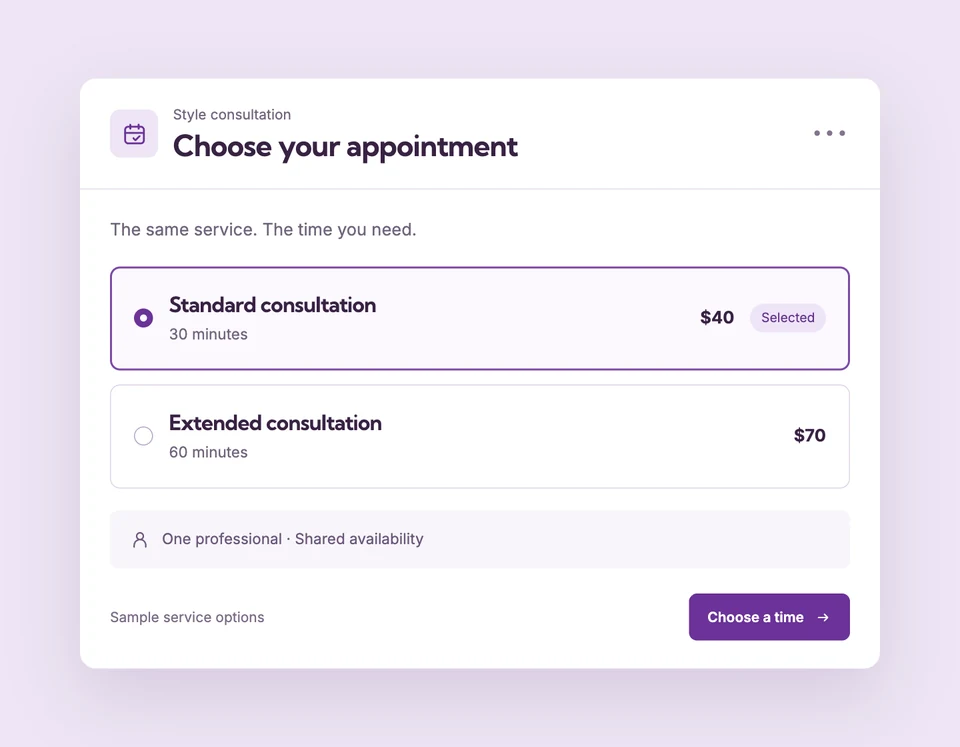
Offer a standard and an extended appointment without duplicating the whole service. Each named option has its own duration and price while using the same team, resources and booking rules.
Additional duration and price options require Starter or Pro and a service using Shopify checkout. Compare plans
A little more time.
Set up Duration & price options for your business.
Name the base option
Set the service’s default option, duration and price. This remains the base choice on Free.
Add a duration or price choice
Create an additional named option and enter its duration and price. Save the service before publishing.
Update the Shopify product
Review the product update so each option maps to its Shopify variant. The widget checks availability for the chosen duration.
Standard or extended.
One service to manage.
A consultation can offer a 30-minute standard option and a 60-minute extended option. Choosing the longer option requires a full hour of availability; it does not simply reuse the shorter appointment’s free start times.
The details
that matter.
Know what the feature does, how it is configured and where its limits are.
- A variant for each option
- Publishing creates a Shopify product variant per appointment option. Review and sync changes after editing saved options.
- Availability follows the duration
- Each selection must fit working hours, existing bookings, buffers and required resources.
- Limits stay with the parent service
- Options share service booking limits and professional assignments instead of creating separate capacity pools.
Before you get started.
Answers about Duration & price options, with guides for the next step.
Are extra options available on Free?
No. Free offers the base duration and price. Starter and Pro unlock additional appointment options.
Do duration options work with every payment provider?
The current named duration and price options are for services using Shopify checkout.
How many options can I add?
A service supports the base option plus up to 24 additional options. Save the service and review the Shopify product update after changes.
Take a closer look.
Try the sample calendar, then follow the guide when you are ready to set up your business.
Explore the related guide