
Cancel & reschedule.
Make the next step clear.
Give customers a way to change their appointment without another email thread. Set your notice policies and let the private booking link show the actions still available.
Customer cancellation and rescheduling are included in Free. Automatic waitlist recovery after an opening requires Pro. Compare plans
Plans change.
Set up Cancel & reschedule for your business.
Set your notice windows
Configure cancellation and rescheduling notice in Business and policies. These are the booking rules, separate from the wording shown in the widget.
Share the management link
Customers reopen the private confirmation page or a booking email to see their appointment and available actions.
Keep changes together
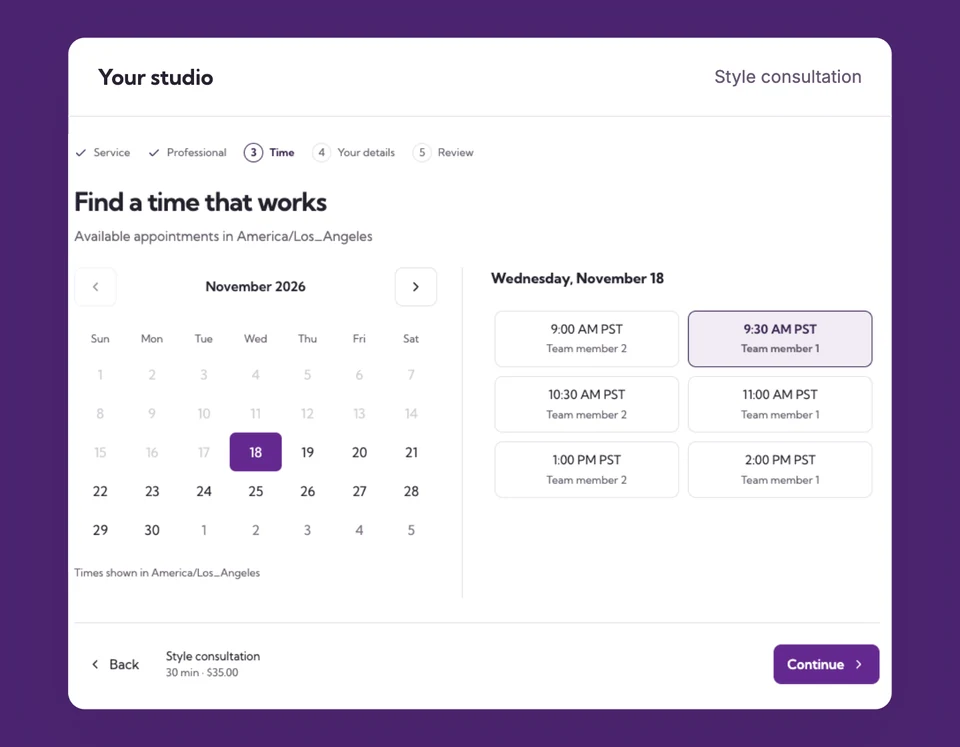
Rescheduling selects a new available time and releases the original when saved. Enabled email workflows can communicate the change.
A customer needs Friday instead.
Give them a clear route.
Within the saved notice window, a customer can use their private link to choose a new available time. After that window closes, your team can review the request in the dashboard rather than showing an action that cannot succeed.
The details
that matter.
Know what the feature does, how it is configured and where its limits are.
- Policy and consent are separate
- Customize or hide the cancellation acknowledgement. Hiding the checkbox does not remove the actual cancellation or rescheduling window.
- Release the old time
- A cancellation or saved reschedule may make the original interval bookable again, subject to the remaining rules.
- Refunds need review
- A booking change is not a promise of an automatic refund. Check the payment provider transaction before arranging money back.
Before you get started.
Answers about Cancel & reschedule, with guides for the next step.
Can I remove the 24-hour acknowledgement?
Yes. Change the business wording and acknowledgement setting, or override the checkbox for a service. Change notice windows separately if your policy also needs to change.
What if the customer’s rescheduling window has closed?
Ask them to contact the business. Your team can review the appointment and the available dashboard actions.
Will a cancellation trigger the waitlist?
With Pro and the required settings enabled, an eligible future opening can trigger recovery. Availability and matching are checked before an invitation is sent.
Take a closer look.
Try the sample calendar, then follow the guide when you are ready to set up your business.
Explore the related guide