Choose or change a plan
- Review Current plan, any trial end date and Compare plans.
- For Shopify, select Monthly or Yearly · Save 17% when available. The saving is calculated from the monthly and yearly prices and rounded to the nearest whole percentage. Review the actual price and term shown before proceeding. Standalone interval options depend on the Stripe billing configuration.
- Choose a plan or Start 7-day free trial if eligible. Approve the subscription in Shopify for a store workspace, Wix for a Wix-connected workspace, or Stripe for another standalone workspace.
- Return to Booking Spot. If the plan is pending, finish the approval and use Refresh billing status.
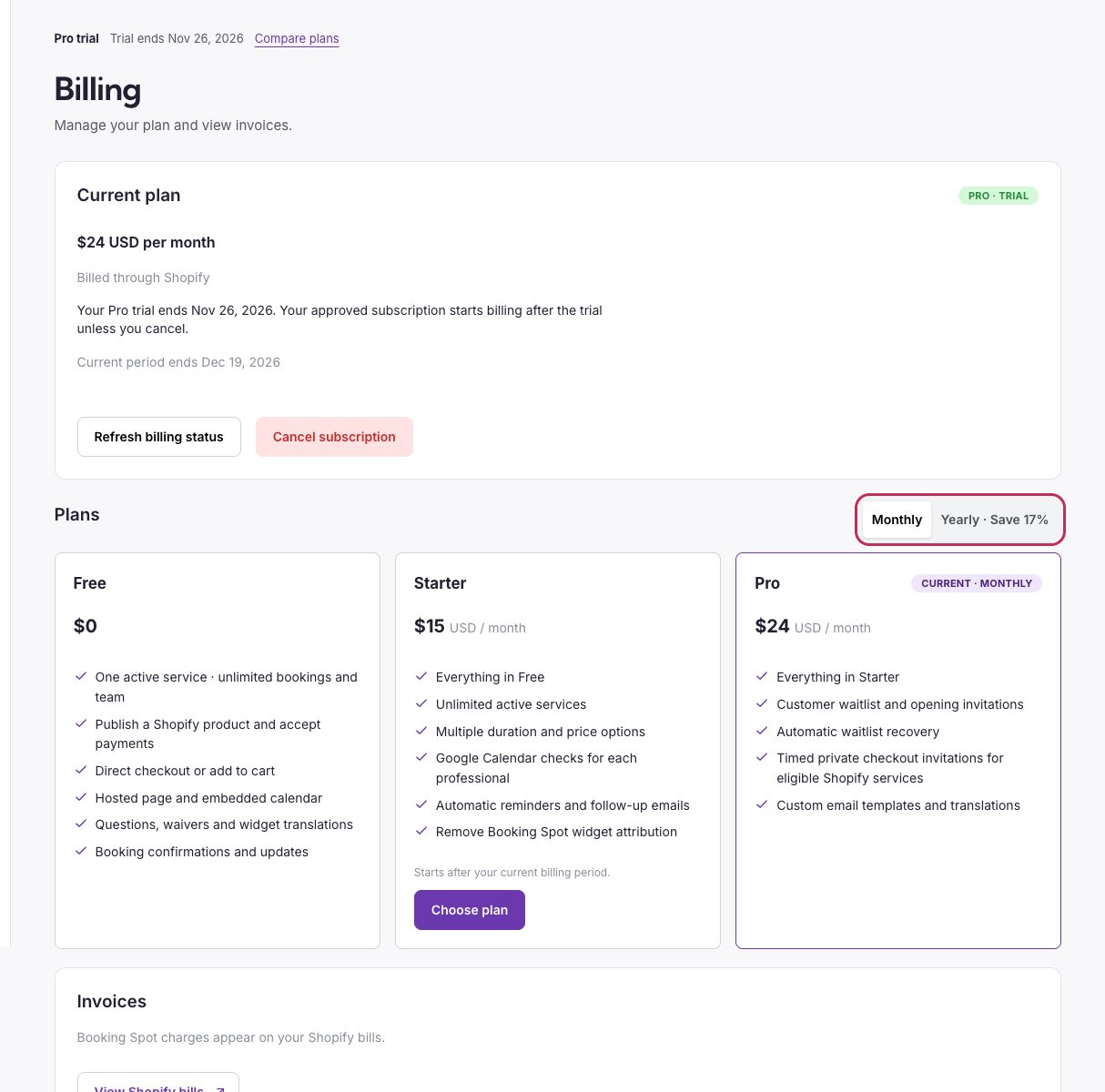
Check the current plan and billing period before approving a subscription.
If your store is configured for subscription testing, Billing shows Test billing enabled before you choose a plan. New subscriptions for that store use Shopify test billing; existing subscriptions are unchanged. This does not change your store’s customer payment gateway or create a subscription automatically.
What each plan unlocks
Prices are USD. Shopify monthly subscriptions are billed every 30 days; yearly Starter is $150**, yearly Pro is **$240. Standalone Stripe subscription billing currently supports monthly billing. Your payment provider’s processing fees still apply to customer payments.
An eligible first paid subscription includes a 7-day trial, starting after provider approval. Existing trials already approved for 14 days keep their original end date. Pending approvals do not unlock features, and cancelling does not reset eligibility. Free has no expiry.
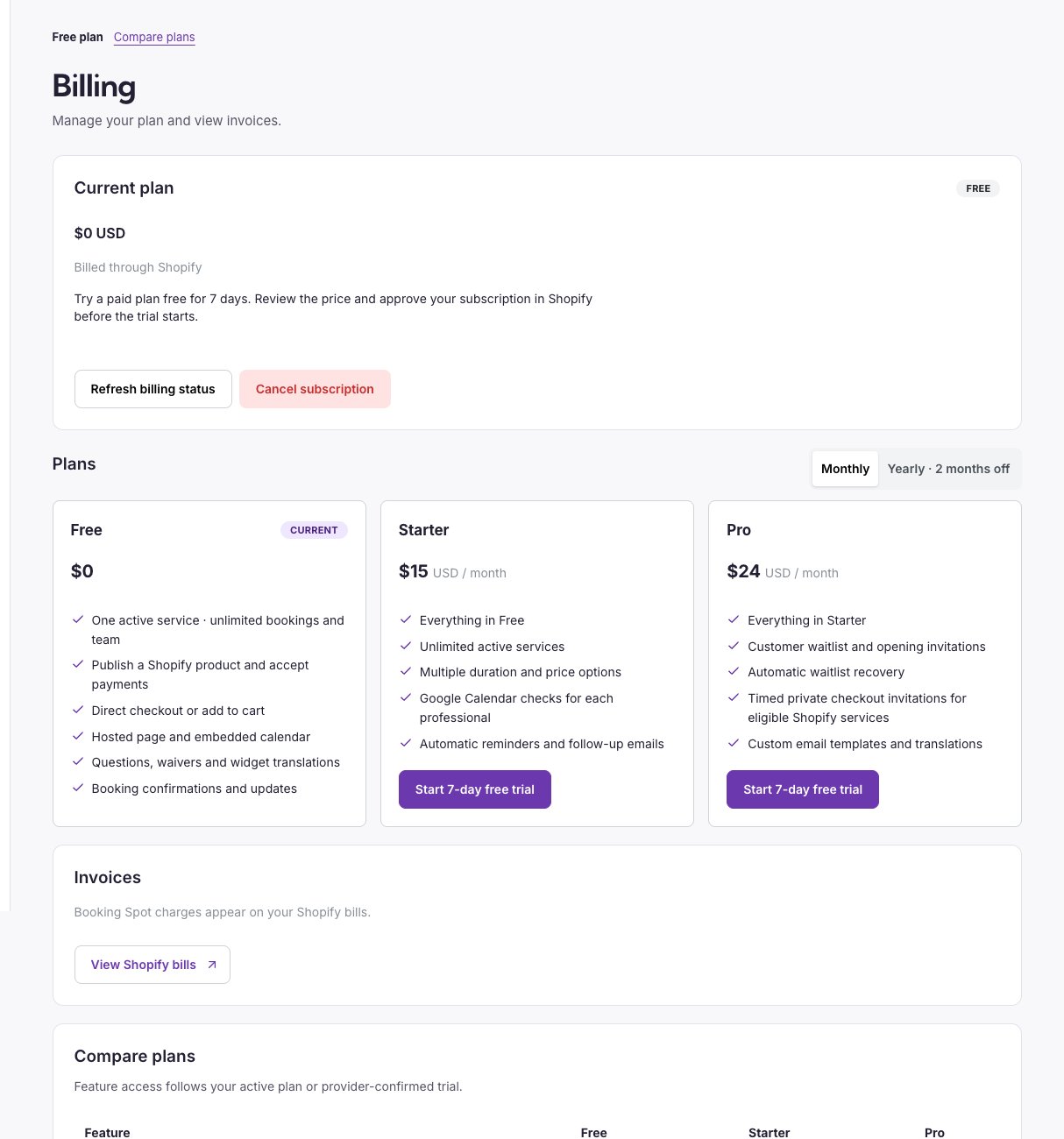
Free includes Shopify publishing and checkout, with no subscription approval to start.
Your one Free service
Free includes one active service across Shopify, hosted pages and embeds. You can assign any number of professionals and accept unlimited bookings for it. Hidden services do not use the limit.- To add another service on Free, save it as Hidden, or hide the current service before enabling the next. Upgrade to Starter to accept bookings for more services together.
- After a trial ends or a paid plan is cancelled, your first active service keeps accepting bookings. In Services, other services show Paused on Free. Open the service you want and select Use as Free service to switch without deleting anything.
- Existing appointments, customer answers and saved services remain. Customers can manage existing bookings within the original cancellation/rescheduling policy, even for a service paused on Free.
- Additional duration/price variants stop accepting new bookings on Free. To publish that service’s standard option again, open Service setup, select Remove additional options, save, then review the Shopify product update.
- Reminders, follow-ups, external calendar checks and Pro automations stop on Free. Review availability before cancelling if external calendars contain busy periods.
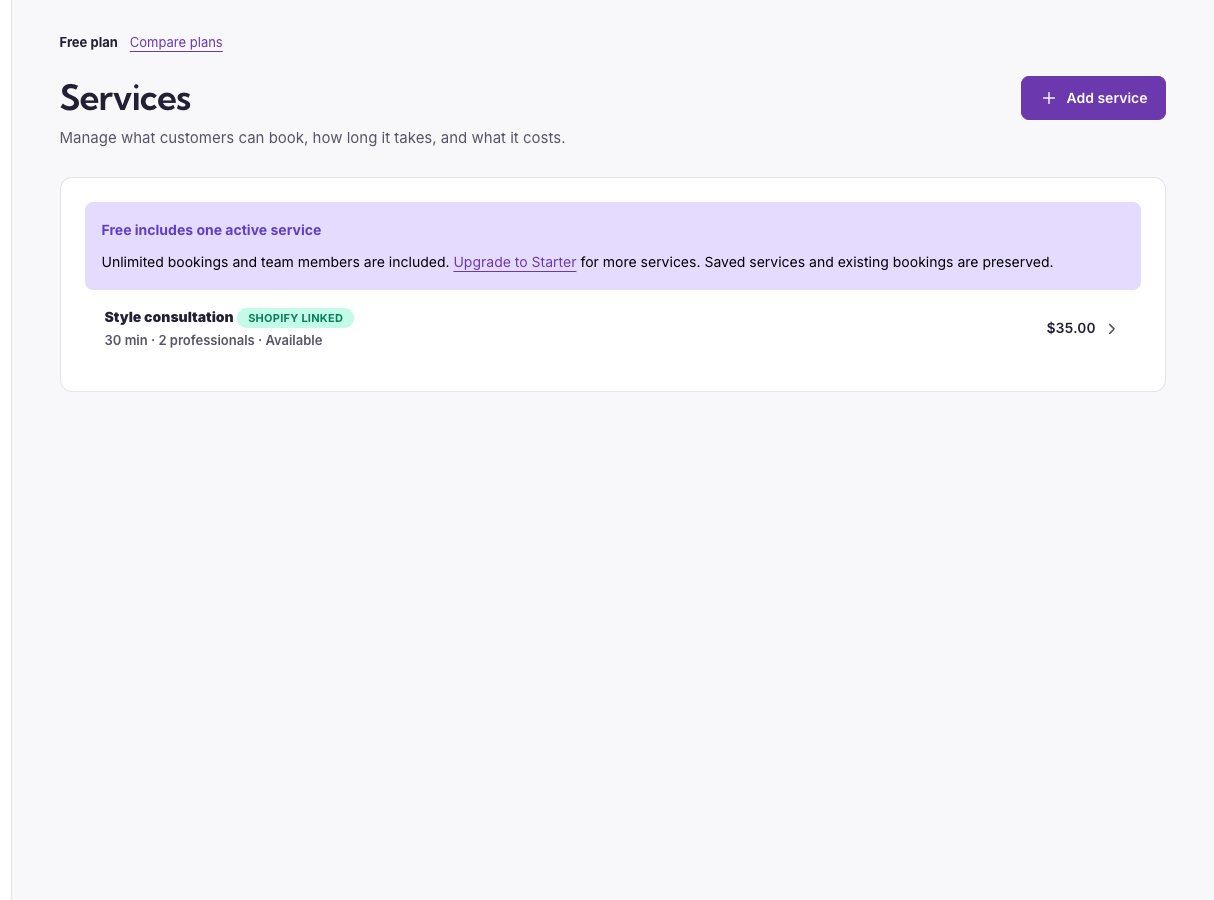
Services shows the Free limit before you create another service.
Manage or cancel
For Shopify, a downgrade or move from yearly to monthly can be scheduled after the current billing period; read the message beside the plan. When the subscription ends, Free access applies and existing bookings, answers and settings remain. Shopify checkout stays included for your one Free service. Premium automations stop; review availability and your chosen Free service before cancelling.
Only the owner manages billing and provider connections. Other Shopify users can manage appointments as admins; adding a professional does not grant billing access. If billing is unavailable, use Free and contact support rather than entering payment keys yourself.
Remove widget attribution
Starter and Pro include Hide Booking Spot attribution in Widget → Appearance, including during an active paid-plan trial. Free widgets include attribution. See footer settings and translations.Wix subscriptions
Wix-connected workspaces show Billed through Wix. Use the plan buttons to open Wix, and Manage or cancel in Wix to manage the subscription. Return to Booking Spot and use Refresh billing status if necessary. Uninstalling the app does not move subscription billing to Stripe.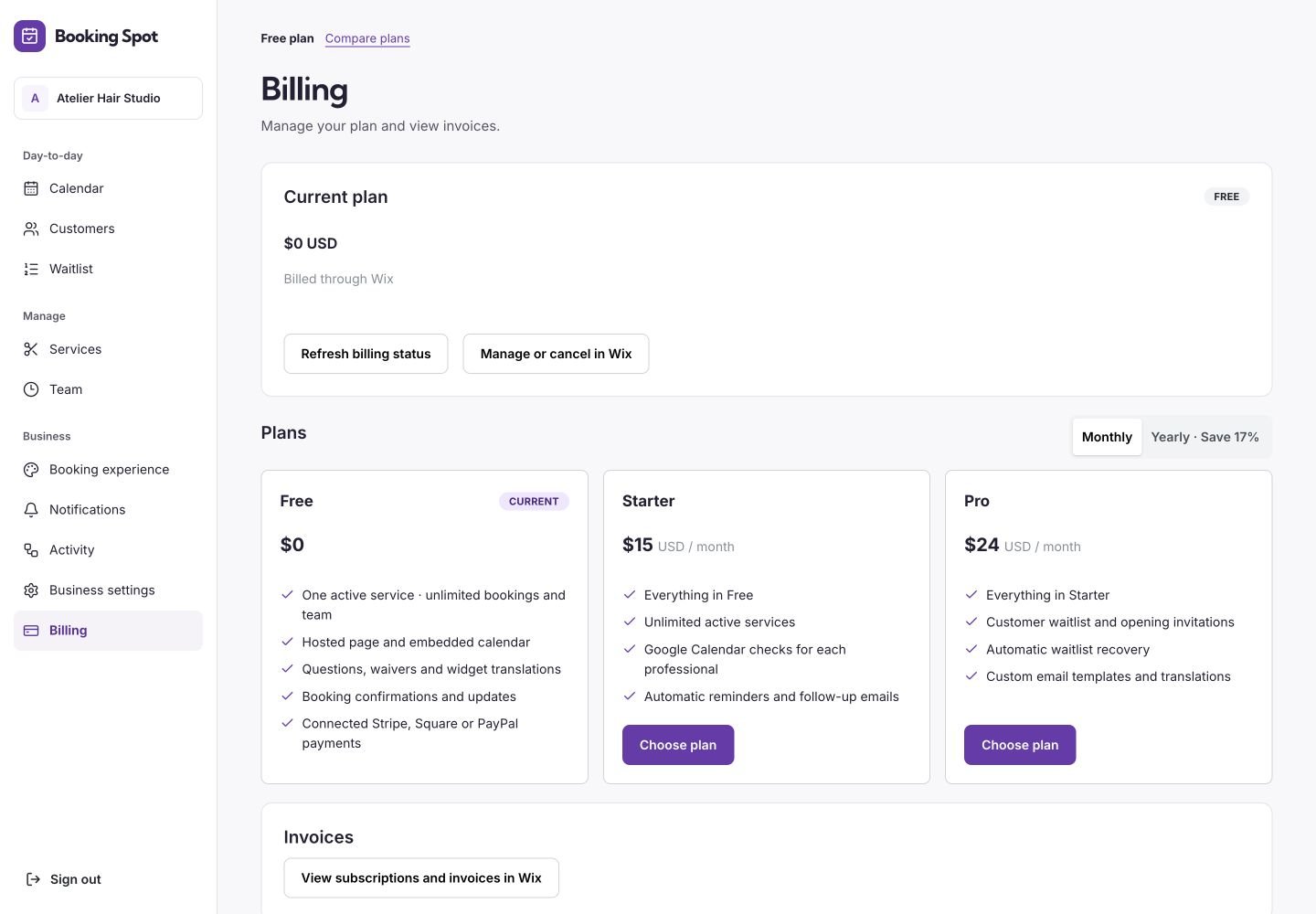
A Wix workspace keeps app subscription management in Wix.