Choose language behavior
Built-in widget copy covers English, Spanish, French, German, Italian, Dutch, Japanese, Polish, Portuguese, Korean, Bulgarian, Czech, Danish, Finnish, Hungarian, Indonesian, Norwegian and Swedish. French Canadian uses French; Brazilian Portuguese uses Portuguese. Norwegian Bokmål and Nynorsk use Norwegian.
Translate your own wording
- Find the message using Search widget text, or choose a Text section.
- With Edit copy for → Default copy, enter your usual wording.
- Select a language, such as French, in Edit copy for. The built-in translation appears and the preview switches to that language. Enter your translated wording.
- Keep any variables listed under the field exactly as shown, including both pairs of braces. Use only that field’s listed variables.
- Check Preview language, then click Save design. Repeat for every language where you want custom wording.
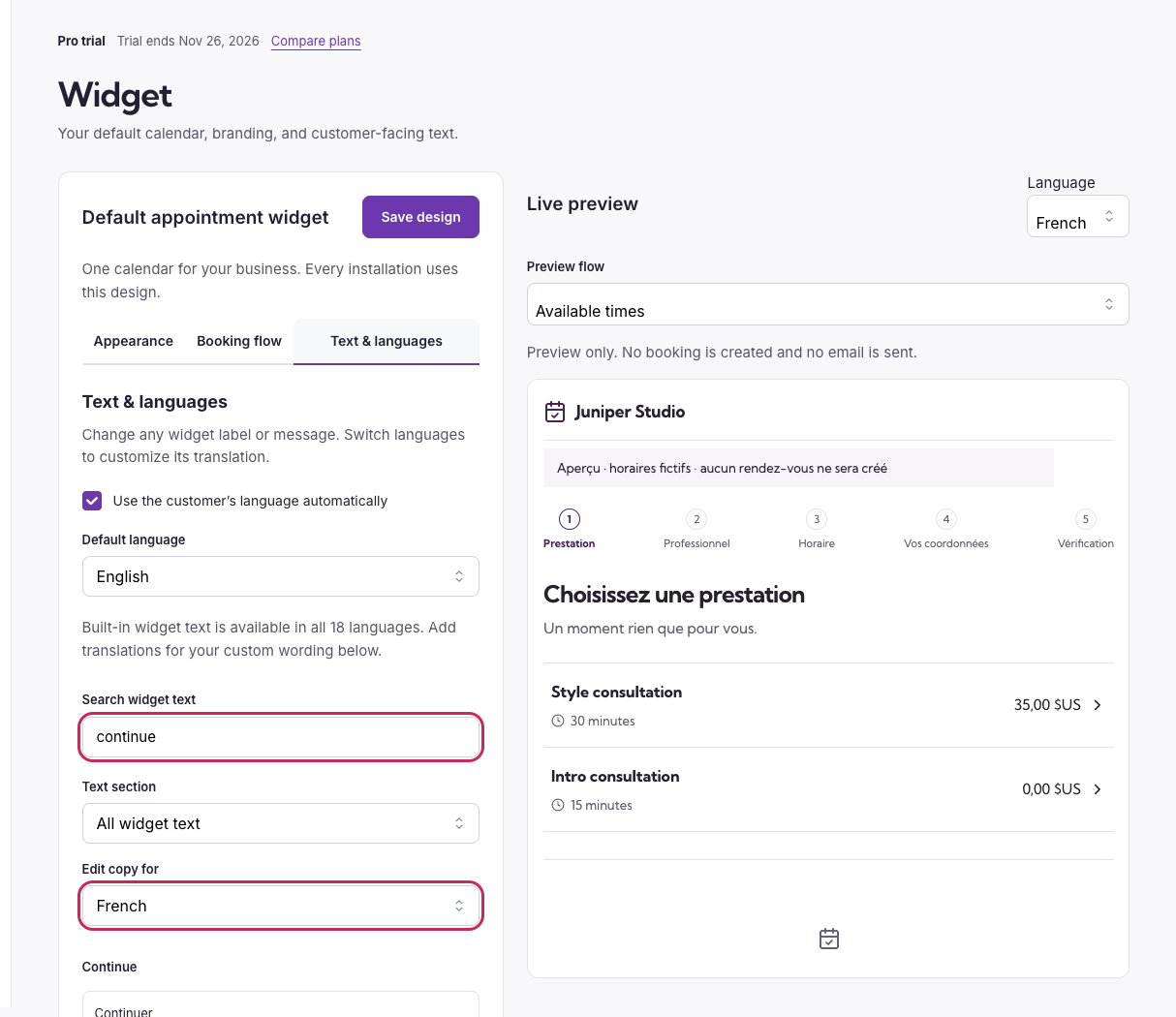
Search for a message, choose a translation, then review the actual widget preview.