Changes in Booking Spot provide defaults for the workspace’s Wix embeds and other calendar installations. Use Save design to save shared design or wording changes. Wix’s page-design controls style the surrounding page.
Design an individual calendar
In the Wix settings panel, turn on Customize this calendar. Set Accent color, Button corners (0–24), Date picker or Calendar title, then select Save this calendar. Wait for the saved confirmation, then publish your Wix page. Reopen the panel if Wix reports that it is still saving. These choices apply only to the selected element and are retained when Wix duplicates that element. Turn customization off and save to use the shared workspace design again. The title override applies to the time-selection screen; leave it blank to use the workspace’s saved wording and language translations. A fixed title is not automatically translated. Other customer text continues to use your workspace language settings.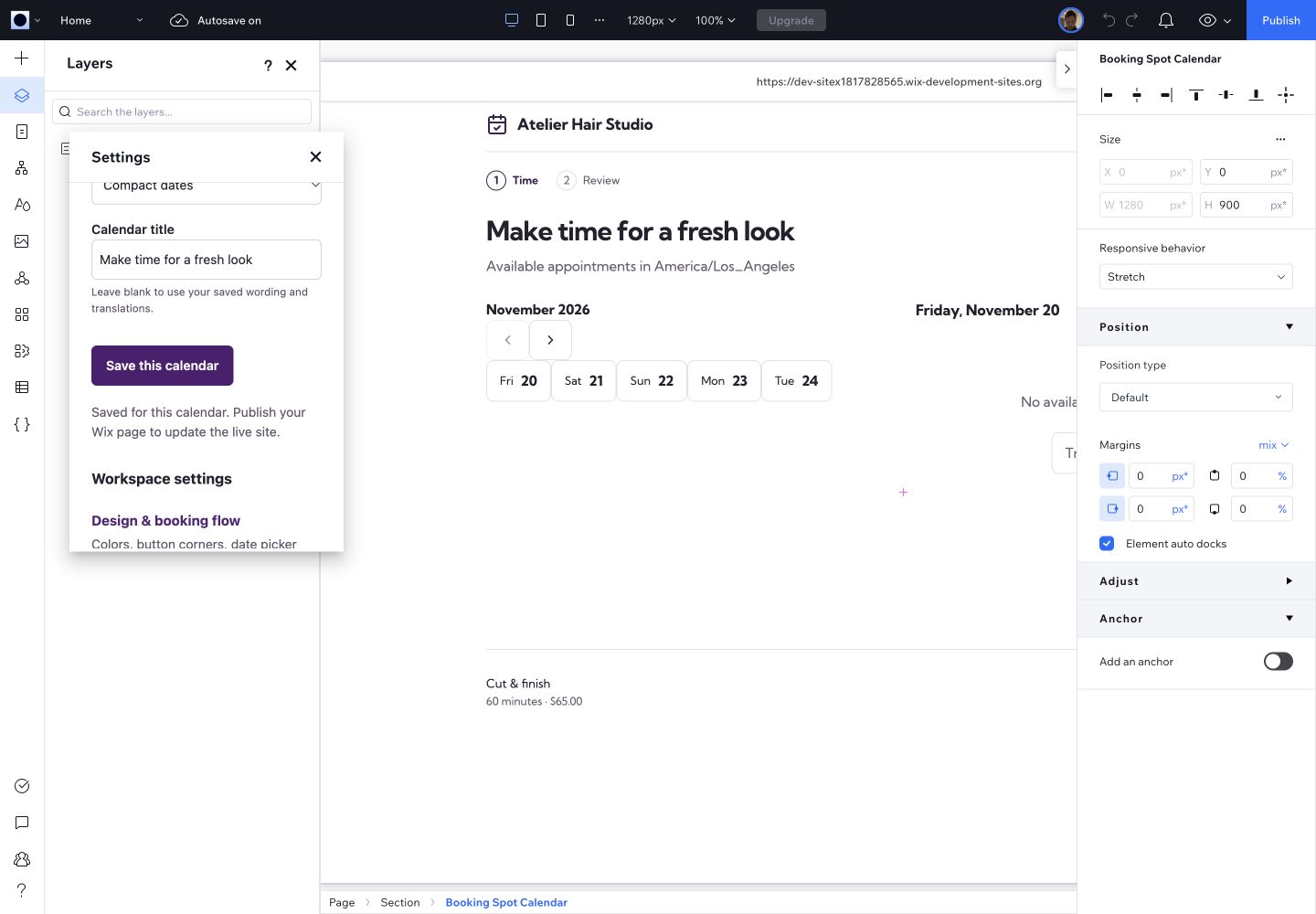
Save a design for the selected Wix calendar; shared workspace settings remain available below.
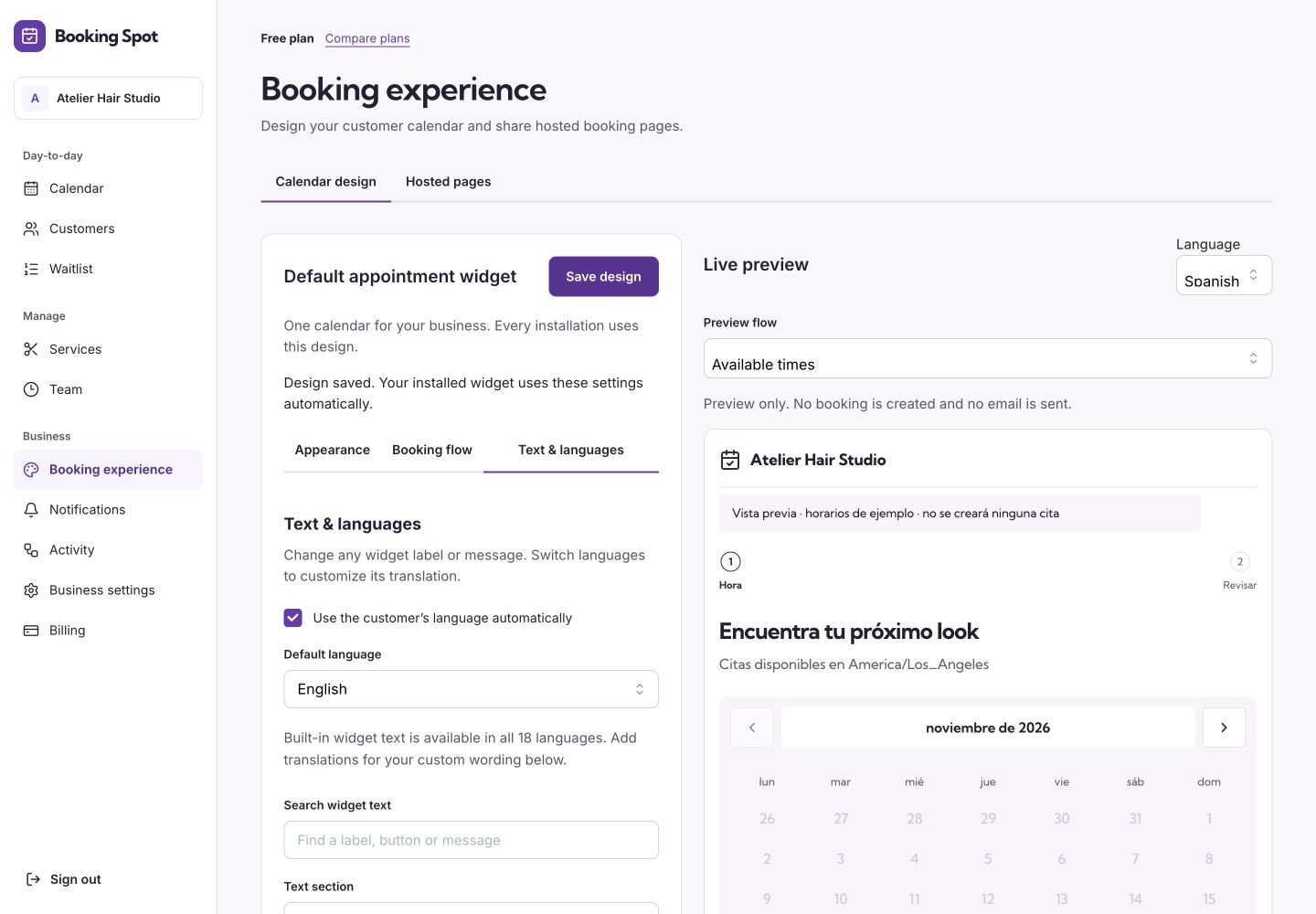
Calendar wording and language settings stay in the existing Booking Spot editor.
Customer languages and regional formats
The calendar includes English, French, German, Spanish, Italian, Dutch, Japanese, Polish, Portuguese, Korean, Bulgarian, Czech, Danish, Finnish, Hungarian, Indonesian, Norwegian and Swedish. With Use the customer’s language automatically enabled, the Wix element asks Wix for the page’s current display language. On a Wix Multilingual site it uses the selected language’s locale when available. It passes that preference to the same Booking Spot translation system used by standalone embeds. If Wix’s language APIs are unavailable, the widget falls back to its existing browser-language and configured-default behavior. Turn automatic language selection off to use your configured Default language for every customer. That choice takes precedence over Wix and browser preferences. Regional tags such ases-ES or en-GB also control calendar date, time and currency formatting; they do not change your appointment time zone or convert your prices.
Use Edit copy for to customize a supported language. Service names, professional names and other business content are entered by you; selecting a calendar language does not automatically translate those names. Email language and templates have separate settings.
The Booking Spot owner dashboard and Wix settings panel currently use English. The 18 calendar languages do not mean that the whole owner app is translated. The Wix App Market listing therefore advertises English as the app language.
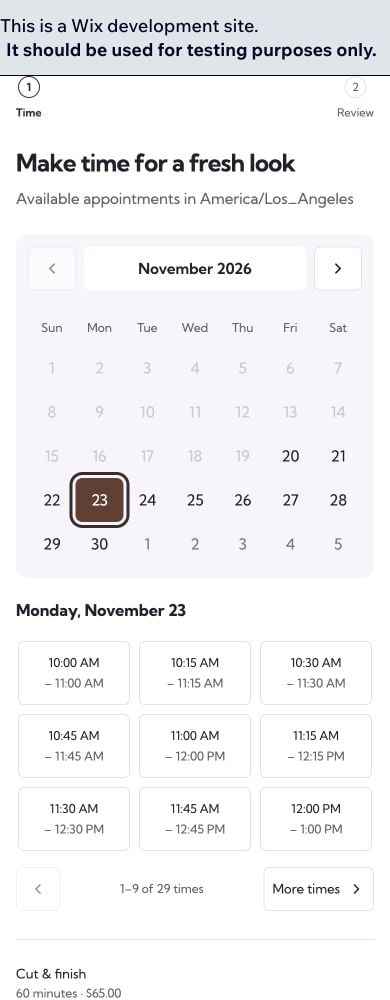
Check the calendar at a phone width before publishing.