Enable delivery for your workspace
Booking emails are enabled by default for new workspaces. Earlier workspaces keep their saved setting; check it before testing.- Open Settings → Business and policies → Confirmations and reminders.
- Check Send customer and organizer emails.
- Choose whether to remind customers 24 hours before, 1 hour before, or at both times.
- Click Save settings.
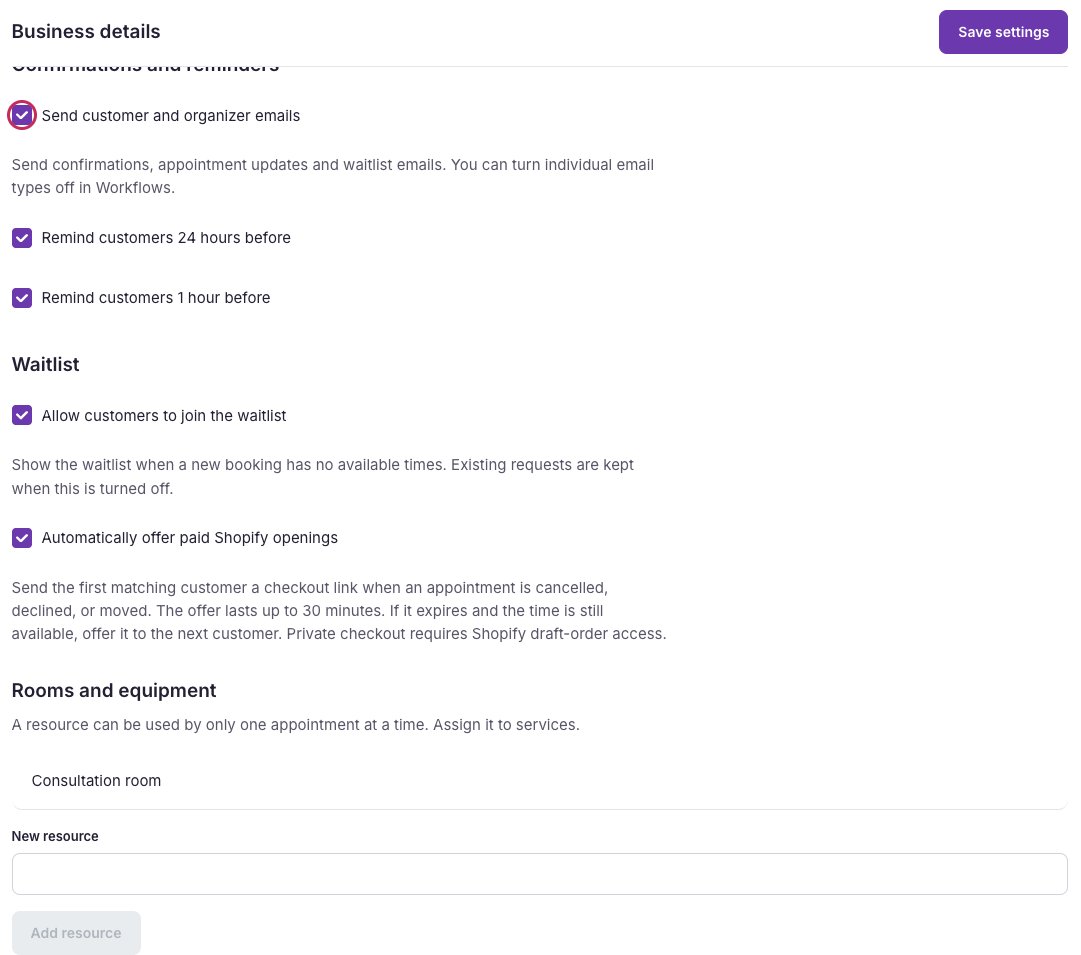
Turn on customer and organizer emails, then choose when to remind customers.
Choose which messages to send
- Open Workflows and choose a message from Email type.
- Check or uncheck Send this email when its booking event occurs.
- Click Save design. Repeat for any other messages you want to change.