1
Open Payments
Go to Settings → Payments and find Stripe, Square, or PayPal. Test mode identifies a sandbox environment. Use provider test accounts there.
2
Authorize the business account
Click Connect beside the provider and complete its sign-in and consent screens. If you manage multiple businesses, choose the account that should receive payments for these bookings.
3
Check the connection
Return to Booking Spot and look for Connected. If you see Setup required, finish the provider’s verification and return to the setup. Unavailable means the provider or its onboarding hasn’t been enabled in this environment.
4
Assign the provider to a service
Open Services and edit the service. Enter a price and choose the provider under Payment collection, then save. For Square, use a workspace currency that matches the active processing location.
5
Verify the flow
Open the public calendar in a new browser window and check the intended service and price. Use a sandbox to complete a paid test. Verify the resulting appointment and the transaction on the provider’s side.
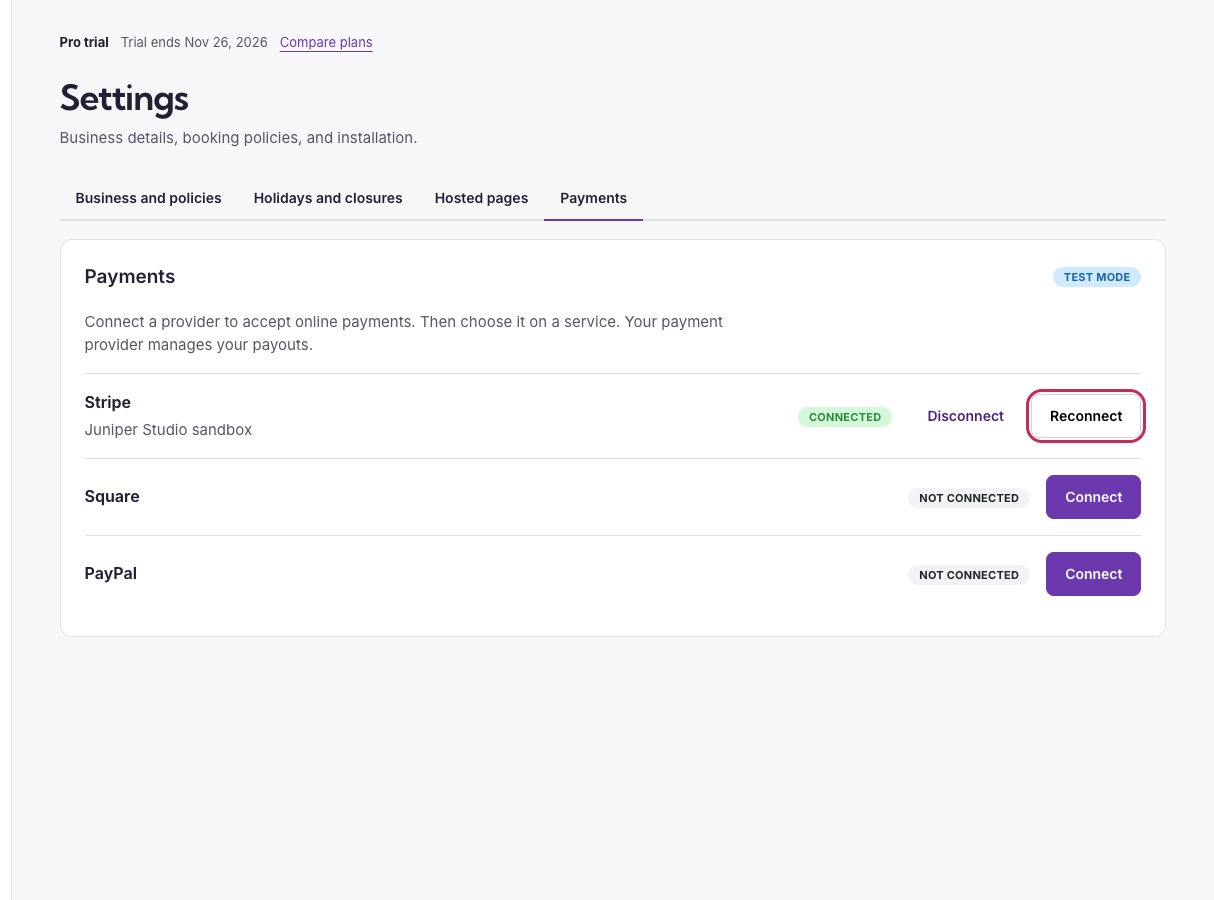
Connect a provider in the Payments section. This example shows the Stripe sandbox.