- Choose From and Through, then select Update report. The initial range is the last 30 calendar days, including today.
- Read the appointment counts and value table.
- Follow View notification activity if a message is queued, skipped or needs attention.
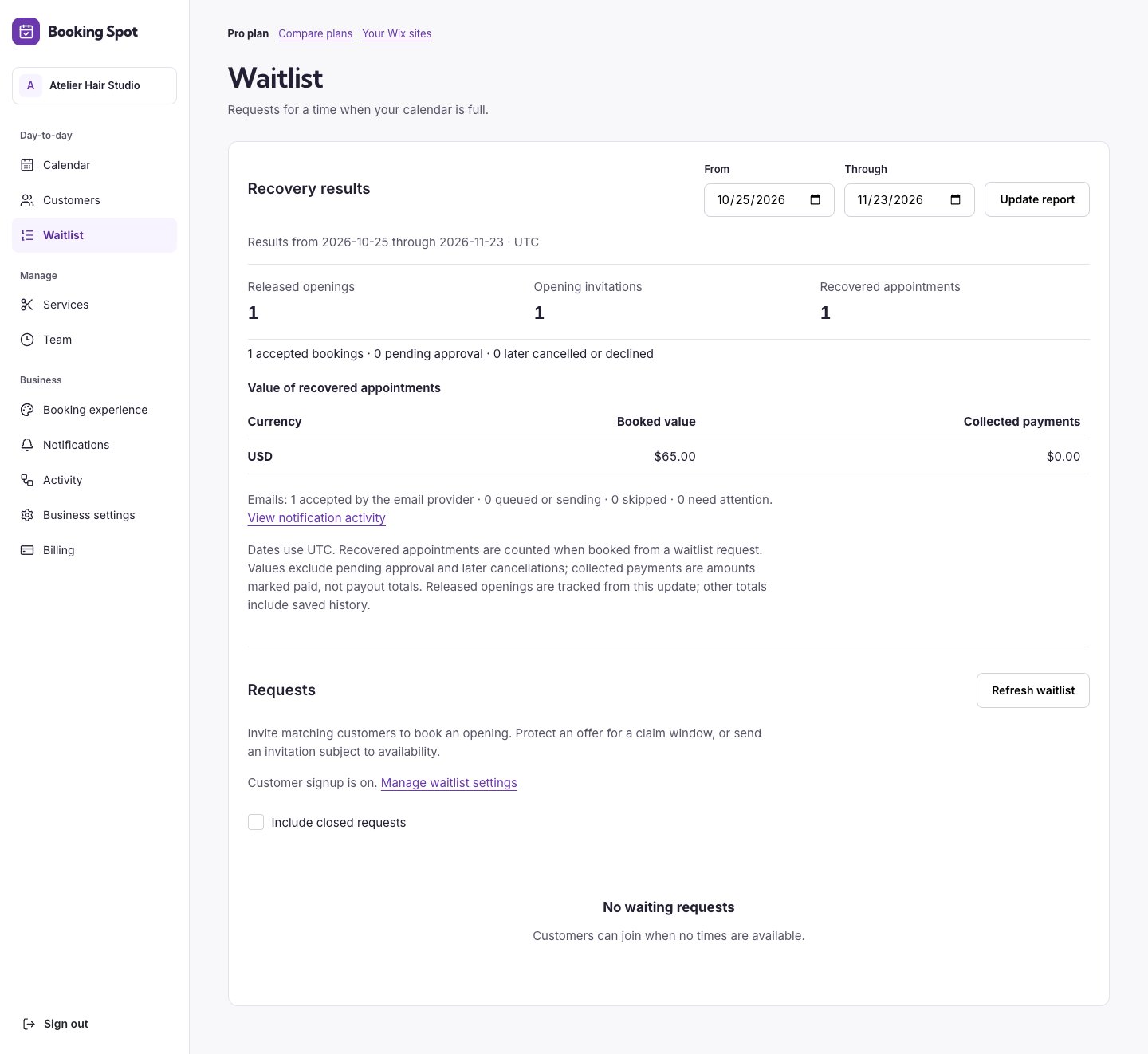
A recovered $65 pay-at-appointment booking has $65 booked value and $0 collected payments.
What the counts mean
The appointment breakdown reflects the appointments’ current status. The report counts conversions by booking date, rather than the date the service will take place. Invitation counts and conversions can concern different requests within a date range; they are not a conversion-rate calculation.
Booked value and collected payments
Booked value adds the saved prices of accepted recovered appointments. Collected payments adds the saved appointment price only when its payment status is Paid. Pending approval and later cancellations are excluded from both totals. A pay-at-appointment booking can therefore add booked value without adding collected payments. Currencies are shown separately. These are appointment records, not a settlement, payout, tax or payment-provider reconciliation report. Use your connected payment provider for its payment and refund records.Email status
- Accepted by the email provider means the sending provider accepted the message. It does not prove inbox delivery or that the customer opened it.
- Queued or sending means delivery is pending or being checked.
- Skipped includes disabled or stale invitations, such as an opening taken before sending.
- Need attention means delivery needs review, including an uncertain provider outcome.